
Selling spreadsheet templates on Etsy requires more than creating a useful Excel or Google Sheets file. Buyers need to find your listing when searching for products such as budget trackers, debt payoff spreadsheets, meal planners, and financial planners.
That is where Etsy SEO tools can help. They allow sellers to research keywords, compare competing listings, identify search opportunities, and improve listing content.
However, choosing the right tool is only the beginning. You also need to understand how to select relevant keywords, write clear titles, organize all 13 Etsy tags, and create descriptions that explain your product.
This guide covers the tools and practical SEO techniques spreadsheet sellers can use to improve their Etsy listings.

What Are Etsy SEO Tools and Why Do Spreadsheet Sellers Need Them?
Etsy SEO tools help sellers understand how shoppers search for products and identify opportunities to improve their listings.
Depending on the platform, features may include keyword research, search estimates, competition analysis, competitor monitoring, and listing optimization.
For spreadsheet sellers, choosing relevant keywords is particularly important because different products solve different problems.
For example:
- Budget spreadsheets help buyers manage income and expenses.
- Debt payoff trackers help users monitor repayment progress.
- Wedding budget templates help couples organize expenses.
- Meal planners help households organize meals and shopping lists.
- Content calendars help creators plan their publishing schedules.
Although these products share a spreadsheet format, their buyers may use completely different search phrases.
A seller offering a debt payoff spreadsheet should investigate terms such as “debt payoff tracker” and “debt snowball spreadsheet” rather than relying only on broad phrases like “spreadsheet template.”
Remember that keyword research tools and listing creation tools serve different purposes. Research tools help investigate keyword opportunities, while creation tools help prepare titles, tags, descriptions, and product assets.
Best Etsy SEO Tools for Spreadsheet Sellers
You do not need every available subscription to optimize an Etsy shop. Start with the tools that solve your immediate research problems.
1. Etsy Marketplace Insights
Etsy Marketplace Insights is a useful starting point because it provides access to Etsy search data.
Sellers can investigate search terms, search frequency, competing listings, and emerging trends.
For example, a budget spreadsheet seller could compare:
- Monthly budget spreadsheet
- Expense tracker
- Savings tracker
- Google Sheets budget
Etsy’s published guidance provides up to 15 free weekly searches, with unlimited searches for Etsy Plus subscribers.
Best for: Sellers who want to investigate actual Etsy search activity before paying for third-party tools.
2. eRank
eRank offers keyword research, listing audits, competitor monitoring, and other Etsy seller tools.
It can help you compare phrases such as “budget spreadsheet,” “monthly budget planner,” and “expense tracker.”
Its free plan provides an opportunity to explore the platform before upgrading. Paid plans offer additional research and analysis features.
Best for: Sellers who want keyword research combined with listing analysis.
3. EverBee
EverBee combines product research, keyword analysis, listing research, and product analytics.
For example, someone considering a wedding budget spreadsheet could investigate existing products and explore how other sellers position similar listings.
Best for: Sellers interested in product research alongside keyword insights.
One limitation is that third-party sales and revenue figures may be estimates rather than verified seller earnings.
4. Marmalead and Alura
Marmalead provides keyword research, keyword suggestions, and listing optimization features.
Alura offers a broader Etsy seller toolkit, including product research, keyword research, and listing-related features.
Both are worth investigating if you want alternatives to eRank or EverBee.
Before subscribing, compare their current pricing, plan limitations, and available features.
My recommendation: Begin with Etsy Marketplace Insights and a free eRank account. Consider a paid subscription only when you regularly need additional research features.
How to Find the Right Etsy Keywords for Spreadsheet Products
Start by identifying what your spreadsheet actually does.
Imagine you sell a monthly budget spreadsheet containing income tracking, expense categories, savings goals, and a summary dashboard.
Potential keyword ideas include:
- Monthly budget spreadsheet
- Expense tracker spreadsheet
- Personal finance planner
- Savings tracker
- Google Sheets budget template
Use Etsy Marketplace Insights to investigate relevant phrases. You can then compare additional keyword suggestions using eRank or another research platform.
When evaluating keywords, consider three things:
- Relevance: Does the phrase accurately describe your product?
- Demand: Are shoppers searching for this type of product?
- Competition: How many competing listings are targeting similar searches?
Do not automatically choose the keyword with the highest estimated search volume. A broad phrase may attract shoppers looking for something different from what you sell.
Also remember that third-party search volume and competition figures are estimates based on each provider’s methodology. Search volume, keyword difficulty, and CPC for the examples in this guide have not been independently verified.
Organize your shortlisted phrases in a simple spreadsheet. This makes it easier to choose the best keywords for each listing without repeatedly researching the same terms.
How to Write SEO-Friendly Etsy Titles for Spreadsheet Products
Your title should tell buyers exactly what you are selling.
Etsy’s updated title guidance, published April 27, 2026, recommends clear, descriptive titles that identify the product and highlight important characteristics without unnecessary repetition.
Read Etsy’s official title guidance.
For example:
Less effective:
Budget Spreadsheet Budget Planner Monthly Budget Tracker Money Planner Excel Google Sheets Finance Template
Better:
Monthly Budget Spreadsheet with Expense and Savings Tracker
The improved version communicates the product and its main features without repeating similar phrases.
Other examples include:
- Debt Payoff Spreadsheet with Repayment Tracker
- Weekly Meal Planner Spreadsheet with Grocery List
- Wedding Budget Spreadsheet with Expense Tracker
- Habit Tracker Spreadsheet with Monthly Dashboard
Only mention features that your actual product includes.

How to Choose All 13 Etsy Tags for Spreadsheet Products
Etsy allows up to 13 tags per listing, with a maximum of 20 characters per tag.
Use these opportunities to describe different aspects of your product instead of repeating nearly identical phrases.
For a monthly budget spreadsheet, a possible tag set is:
| No. | Tag |
|---|---|
| 1 | budget spreadsheet |
| 2 | monthly budget |
| 3 | expense tracker |
| 4 | savings tracker |
| 5 | debt payoff |
| 6 | money planner |
| 7 | google sheets |
| 8 | excel template |
| 9 | finance tracker |
| 10 | bill organizer |
| 11 | budget planner |
| 12 | spending log |
| 13 | personal budget |
This is an illustrative example. Remove tags that do not accurately describe your product. For instance, do not use “debt payoff” if your spreadsheet does not include debt tracking.
Etsy recommends using relevant multi-word phrases, synonyms, and variations rather than relying on repetitive or unrelated tags.
You can review its official Keywords 101 guide.
How to Write Etsy Listing Descriptions That Support SEO and Sales
Your description should help buyers understand what they are purchasing.
This is especially important for digital spreadsheet products because shoppers cannot physically inspect the file before downloading it.
Start with a clear explanation of the product.
For example:
“Organize your monthly finances with this editable budget spreadsheet for Google Sheets and Excel, featuring income tracking, expense categories, savings goals, and a monthly summary.”
Then explain the important details.
What buyers receive:
- Included worksheets and features.
- File formats.
- Software compatibility.
- Instructions for accessing the product.
How the spreadsheet helps:
Explain practical benefits rather than simply listing technical features. For example, expense categories help users organize spending, while automatic calculations can reduce repetitive manual work.
Compatibility matters:
Clearly explain whether your spreadsheet supports Excel, Google Sheets, or both. An .xlsx file may open in both applications, but formulas and formatting should be tested before making compatibility claims.
Clarify digital delivery:
Tell buyers whether they receive an instant digital download, whether the file is editable, and whether any additional software is required.
Include relevant keywords naturally in the description. Avoid copying the title repeatedly or inserting unrelated keyword lists.
A Practical Etsy SEO Workflow for Spreadsheet Sellers
Here is a simple process you can repeat for each new listing.
Step 1: Research keywords. Use Marketplace Insights to investigate phrases buyers use when searching for products like yours.
Step 2: Select relevant phrases. Compare keyword opportunities and prioritize product relevance, buyer intent, and available demand information.
Step 3: Write your title. Identify the spreadsheet clearly and highlight its most important characteristics.
Step 4: Prepare 13 tags. Use relevant product, feature, audience, and use-case phrases.
Step 5: Write your description. Explain the product, features, compatibility, and digital delivery details.
Step 6: Monitor performance. Review Etsy Stats to understand which search terms bring visitors and whether those visits lead to orders.
If a listing receives visits but few purchases, investigate its images, pricing, description, and perceived value instead of automatically changing every keyword.
Can Digital Product Engine Help Create Etsy Spreadsheet Listings?
Keyword research is only one part of running a spreadsheet shop. Creating the spreadsheet, preparing listing images, and writing product descriptions also require time.
Digital Product Engine (DPE) is a digital product creation and listing preparation tool offered by The Elite Engines.
According to its vendor, DPE Starter supports eight spreadsheet product categories and can generate spreadsheet files, listing images, a short video, Etsy titles, 13 suggested tags, and product descriptions.
The vendor also describes Excel-compatible .xlsx outputs, CSV files, and Notion import files.
These are vendor-published capabilities, not independently tested results.
For someone creating a wedding planner or budget tracker, DPE may help streamline parts of the spreadsheet creation and listing preparation process.
Want to simplify spreadsheet creation and listing preparation? Explore Digital Product Engine.
However, there is an important distinction: DPE should not be treated as a dedicated Etsy keyword research platform. Its generated titles and tags still need to be checked against relevant Etsy search data.
If preparing listing content takes too much time, DPE may provide a useful starting point. You can review the DPE Starter offer here.
The vendor currently advertises a $12.95 one-time Starter price, 650 credits, and 65 credits per completed listing. Check the official offer for current pricing and terms.
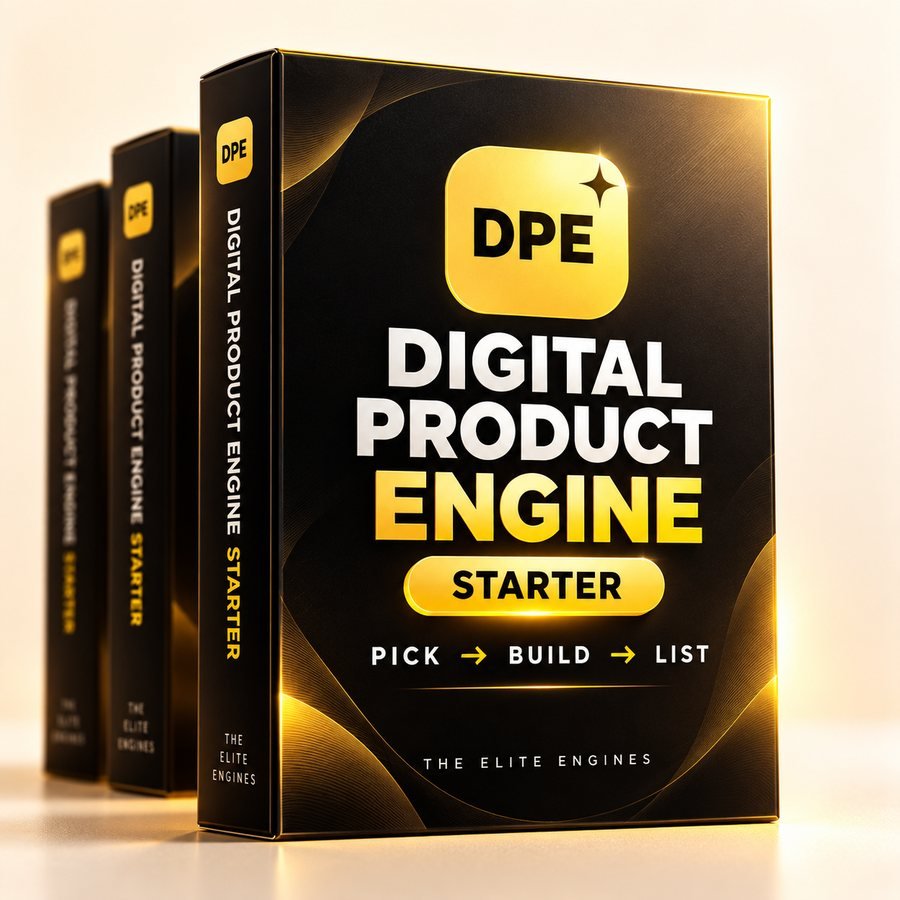
If you want help creating spreadsheet products and preparing their listing materials, you can explore Digital Product Engine. Evaluate whether its workflow fits your needs before purchasing.
Common Etsy SEO Mistakes Spreadsheet Sellers Should Avoid
A few mistakes can undermine otherwise useful keyword research.
- Choosing keywords only because they are popular: Relevance should come first.
- Repeating similar tags: Use different accurate phrases to describe your product.
- Overloading titles: Keep titles clear and readable.
- Making inaccurate claims: Never promise features or software compatibility that you have not verified.
- Ignoring listing performance: Review search visits, orders, and buyer feedback before deciding what needs improvement.
Frequently Asked Questions About Etsy SEO Tools
What Are the Best Free Etsy SEO Tools?
Etsy Marketplace Insights is a useful starting point. You can also explore free plans from eRank, EverBee, and Alura.
Is eRank or EverBee Better for Etsy Keyword Research?
eRank focuses strongly on keyword research and listing analysis, while EverBee also emphasizes product research and analytics. Choose based on your needs.
How Do I Find Keywords for Etsy Spreadsheet Templates?
Start with the spreadsheet’s purpose, research relevant phrases through Marketplace Insights, and compare suitable keyword suggestions using an SEO tool.
How Many Tags Should an Etsy Listing Have?
Etsy allows up to 13 tags, with a maximum of 20 characters per tag. Use relevant phrases rather than unnecessary repetitions.
Do Etsy SEO Tools Guarantee Higher Rankings?
No. They provide research and optimization assistance, but Etsy rankings and sales depend on multiple factors. No SEO tool can guarantee results.
Can I Use AI to Write Etsy Titles and Descriptions?
Yes, AI can help create initial drafts. However, review all generated content for accuracy, relevance, and compliance with Etsy policies.
Final Thoughts: Build a Practical Etsy SEO System for Your Spreadsheet Shop
Choosing the right Etsy SEO tools is useful, but applying your research correctly matters more.
Start with Etsy Marketplace Insights, investigate relevant buyer keywords, and use a suitable third-party tool when additional analysis is necessary.
Then turn your findings into a clear listing title, 13 relevant tags, and a description that explains exactly what buyers receive.
You do not need multiple expensive subscriptions to get started. A focused research process, accurate product information, and regular performance reviews can provide a more practical foundation.
If creating spreadsheets and preparing listing assets takes too much time, a complementary tool such as Digital Product Engine may also help streamline parts of your workflow.
The goal is simple: help the right buyers find your spreadsheet and understand why it may be useful to them.
