
Creating spreadsheet templates can be a practical way to turn your Excel or Google Sheets skills into digital products. Instead of building a new spreadsheet for every customer, you create a reusable template that buyers can download and customize for their own needs.
Etsy provides a marketplace for original digital products, including spreadsheet planners, budget trackers, and business tools. However, creating a spreadsheet is only one part of the process. You also need to find a useful product idea, build a functional workbook, prepare it for customers, and create a listing that explains its value.
If you want to simplify parts of this process, tools such as Digital Product Engine may also be worth exploring. We’ll look at where a tool like this could fit into your workflow.
This guide walks you through the process of creating and selling spreadsheet templates on Etsy, even if you’re starting with basic spreadsheet skills.

1. Can You Sell Spreadsheet Templates on Etsy?
Yes. Etsy allows sellers to offer original digital products that meet its applicable creativity and seller requirements.
Spreadsheet templates can help customers organize information, track expenses, plan projects, manage small businesses, and monitor personal goals.
Some product ideas include:
- Monthly budget planners
- Expense and income trackers
- Savings goal spreadsheets
- Business profit calculators
- Inventory management sheets
- Project planning templates
- Sales and order trackers
- Wedding budget planners
The best product isn’t necessarily the most complicated one. A simple spreadsheet that solves a specific problem can be more useful than a workbook filled with features customers don’t need.
Before creating anything, identify your intended buyer, the problem they want to solve, and how your spreadsheet will help.
2. Choose a Spreadsheet Template Idea People Need
Start with a customer problem rather than a spreadsheet feature.
For example, someone struggling to manage household expenses might need a monthly budget tracker. A freelancer might want a simple way to monitor income, business expenses, and monthly profit.
Consider these potential audiences:
| Audience | Spreadsheet product idea |
|---|---|
| Students | Study planner |
| Families | Household budget tracker |
| Freelancers | Income and expense tracker |
| Small businesses | Inventory and sales tracker |
| Event planners | Wedding budget spreadsheet |
| Personal finance users | Savings goal tracker |
Research existing Etsy listings
Search Etsy for products related to your idea. Examine listing titles, product images, descriptions, customer questions, and available reviews.
Look for opportunities to improve the buyer experience. Perhaps existing products have confusing layouts, lack instructions, or don’t explain software compatibility clearly.
Never copy another seller’s spreadsheet, descriptions, images, or designs. Research should help you understand customer expectations, not reproduce someone else’s work.
Validate your idea before building
Ask yourself:
- Is there a clearly identifiable group of potential buyers?
- Does the spreadsheet solve a specific problem?
- Can you create a product that is genuinely useful?
- Can you explain its benefits clearly in an Etsy listing?
A useful tool to consider: Product research and idea selection can take considerable time, particularly when you’re unsure what to create first. Digital Product Engine (DPE) is presented by its vendor as a tool for researching digital product opportunities, with its Core Five guides and 60 Ideas & Planner. These resources may help you organize your initial ideas and consider different product directions. If you want a more guided starting point, explore Digital Product Engine here.
3. Choose the Right Tool: Excel or Google Sheets?
Both Microsoft Excel and Google Sheets can be used to create spreadsheet templates. Your choice depends on your target customers, required functionality, and delivery method.
| Feature | Microsoft Excel | Google Sheets |
|---|---|---|
| Access | Desktop and web versions | Browser and mobile apps |
| Main format | XLSX | Native Google Sheets |
| Collaboration | Supported | Real-time collaboration |
| Offline use | Supported in suitable versions | Depends on device and settings |
| Compatibility | Some features vary by version | Some Excel features may behave differently |
When should you use Excel?
Excel is useful for templates involving formulas, tables, charts, and more advanced workbook features.
However, functionality can differ between desktop, web, and older versions. Avoid promising universal compatibility unless you’ve tested the relevant versions.
When should you use Google Sheets?
Google Sheets is convenient for customers who prefer working online and accessing their spreadsheets through a Google account.
It works well for many straightforward planners, trackers, and collaborative templates.
If you’re a beginner, start with one format. Supporting both Excel and Google Sheets immediately can increase your testing and customer support workload.
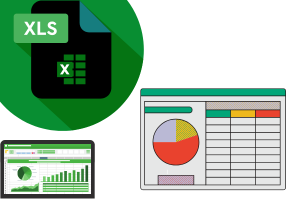
4. How to Create a Spreadsheet Template Step by Step
Once you’ve selected your product idea and software, start building the workbook.
For this example, imagine creating a monthly budget tracker.
Step 1: Define the template’s purpose
Decide exactly what the buyer should be able to accomplish.
A budget tracker might help users record income, categorize expenses, compare planned spending with actual spending, and monitor savings.
Keep the first version focused. Too many unrelated features can make a workbook difficult to use.
Step 2: Plan the workbook structure
Organize the workbook into logical sections.
For example:
- Start Here: Instructions and basic information.
- Monthly Overview: Summary of income and expenses.
- Income Tracker: Records of money received.
- Expense Tracker: Spending by category.
- Savings Goals: Progress toward financial targets.
Each worksheet should have a clear purpose.
Step 3: Add formulas and calculations
Formulas turn a static spreadsheet into a useful tool.
For example:
=SUM(B2:B20)
This adds the values in the specified range.
You might also use SUMIF, COUNTIF, and IF to calculate category totals or display conditional results.
Test every formula using different entries, including blank cells and unexpected values.
Step 4: Design a clean layout
Use readable fonts, consistent headings, appropriate spacing, and a limited color palette.
Make input cells visually different from calculated cells. Buyers should understand where they can enter information without accidentally changing formulas.
Step 5: Add instructions and sample data
Include a short guide explaining:
- What each worksheet does.
- Which cells buyers can edit.
- How to enter information.
- How calculations work.
- How to reuse the template.
Clearly identify sample information and explain how to replace it.
Step 6: Protect important formulas
In Excel, worksheet protection can help prevent accidental editing of selected cells.
However, worksheet protection is not strong security and does not prevent copying or all forms of modification.
Make sure the intended input cells remain accessible.
Can a tool simplify spreadsheet creation?
Building a workbook, preparing its presentation, and writing its listing can involve several separate tasks.
Digital Product Engine is marketed by its vendor as a tool that generates spreadsheet products and associated Etsy listing materials from a product description. Its sales page describes spreadsheet output, listing images, a video, titles, tags, and descriptions as part of its generated package.
For someone who wants to explore a more assisted workflow instead of preparing every element manually, Digital Product Engine may be worth considering.
Keep in mind that generated spreadsheets still need independent testing. Review the formulas, design, accuracy, compatibility, and customer instructions before offering anything for sale. A generated product should never be assumed to be ready for publication without review.
5. Test Your Spreadsheet Before Selling It
A professional-looking workbook can still contain broken formulas or confusing instructions.
Testing is essential.
Use this checklist:
- Enter different sets of sample data.
- Check totals and calculations manually.
- Test blank cells and zero values.
- Confirm formulas update when new information is entered.
- Test dropdown lists and data validation.
- Check conditional formatting.
- Confirm that buyers can edit the intended cells.
- Test each software version you claim to support.
- Review the workbook on smaller screens where relevant.
If you offer both Excel and Google Sheets versions, test them independently.
Pay attention to differences in formulas, formatting, charts, date handling, and other features.
Fix problems before preparing the final download files.
6. Prepare Your Spreadsheet for Etsy Buyers
Your spreadsheet needs to be packaged so customers can access and understand it.
For an Excel product, you might prepare:
- The finished
.xlsxworkbook. - A PDF instruction guide.
- A software compatibility note.
For a Google Sheets product, provide a PDF containing access instructions and the appropriate template-copy link.
Etsy’s instant-download listings support specific file formats. Its published documentation describes a maximum of five uploaded files per listing and a maximum size of 20 MB per file. Since .xlsx is not included in the published supported-file list, package Excel workbooks in ZIP files rather than assuming direct upload will work.
Use descriptive filenames, such as:
Monthly-Budget-Tracker.zipSpreadsheet-User-Guide.pdfGoogle-Sheets-Access-Guide.pdf
Open every final file before uploading it. Confirm that ZIP files extract correctly and that the instructions are easy to follow.
7. Create and Optimize Your Etsy Digital Listing
A useful spreadsheet can still be overlooked if its listing doesn’t explain what it offers.
Write a clear product title
Use descriptive language that identifies the product and its purpose.
Example:
Monthly Budget Spreadsheet | Excel Expense Tracker | Personal Finance Planner
Avoid repeating unrelated keywords simply to make the title longer.
Create informative listing images
Your listing images should demonstrate what customers will receive.
Consider including:
- A main image showing the spreadsheet.
- A screenshot of the dashboard.
- An example of the expense tracker.
- A visual explanation of included worksheets.
- Software compatibility information.
- A clear digital-download notice.
Use screenshots of your actual product. Never advertise features that the downloadable workbook doesn’t contain.
Write a useful description
Explain:
- What the template helps customers do.
- Which worksheets are included.
- Which software is required.
- What files buyers receive.
- How to access and use the product.
- What isn’t included.
Clearly state that the item is a digital download and no physical product will be shipped.
Choose relevant Etsy categories and tags based on the actual product and buyer intent.
8. How to Price Your Spreadsheet Templates
Pricing should reflect the product’s usefulness, complexity, presentation, and support requirements.
Research comparable products, but don’t compare prices alone. A basic expense tracker and a comprehensive business management workbook offer different levels of functionality.
Remember to account for:
- Etsy listing fees.
- Transaction fees.
- Payment processing fees.
- Applicable taxes and other charges.
- Advertising expenses, where relevant.
- Software and design costs.
- Time spent creating and supporting the product.
Etsy’s published standard listing fee is $0.20 USD, and its standard transaction fee is 6.5%. Payment processing fees depend on the seller’s payment-account country, and other charges may apply.
Always check the latest official fee schedule before setting your prices.
9. Improve Your Spreadsheet Shop Over Time
Your first listing is a starting point, not the end of product development.
Pay attention to customer questions, feedback, and recurring usability problems. If customers repeatedly struggle with an instruction, improve the workbook or its guide.
You can also develop related products for the same audience.
For example, a personal finance collection might include:
- Monthly budget trackers.
- Savings goal planners.
- Debt payoff calculators.
- Annual expense trackers.
Each product should solve a distinct problem rather than being a slightly redesigned copy of another listing.
Make product development more manageable
As your product collection grows, creating every spreadsheet and preparing all the accompanying listing materials manually can become time-consuming.
This is another area where Digital Product Engine may be relevant. According to its current vendor sales page, DPE combines spreadsheet generation with listing-related materials and provides resources for planning digital product ideas. It also describes an option for adding generated products to its own Elite Store.
If managing multiple parts of your digital product workflow is becoming difficult, you can take a closer look at Digital Product Engine to see whether its current features fit your business needs.
Before relying on any generated output, check its quality, review its usage terms, and confirm that the files meet Etsy’s current requirements. A tool can reduce some production tasks, but it cannot replace product research, business judgment, marketplace compliance, or customer support.
10. Common Mistakes to Avoid
Before publishing, watch out for these mistakes:
- Choosing an overly broad idea: Define a specific buyer and problem.
- Adding unnecessary features: Keep the workbook simple and useful.
- Skipping formula testing: Check calculations before selling.
- Ignoring compatibility: Explain which software and versions are supported.
- Using confusing instructions: Make the first-use experience straightforward.
- Misleading listing images: Show the actual downloadable product.
- Ignoring marketplace costs: Calculate fees before choosing a price.
- Expecting immediate sales: Product visibility and demand are never guaranteed.
A professional spreadsheet product requires more than attractive formatting. It should work reliably and provide a clear benefit to its intended buyer.
11. Frequently Asked Questions
Do you need advanced Excel skills to sell spreadsheet templates?
No. You can begin with basic spreadsheet knowledge and simple products. However, you should understand the formulas you use and know how to test your work.
Can you sell Google Sheets templates on Etsy?
Yes, original Google Sheets templates can be offered as digital products. Provide clear access instructions and ensure buyers receive their own usable copy.
Can you sell both Excel and Google Sheets versions?
Yes, provided both versions work as described and are packaged correctly. Test each version independently before offering them together.
What spreadsheet templates can beginners create?
Beginners can consider budget trackers, expense logs, savings planners, project trackers, and simple inventory sheets.
How do Etsy buyers access digital spreadsheet templates?
For eligible instant-download purchases, buyers can generally access files through their Etsy account under Purchases and Reviews. Your listing should explain any additional steps required to open the spreadsheet.
Do you need to pay to sell digital products on Etsy?
Etsy charges applicable listing and selling fees. These can include listing, transaction, payment processing, and other charges depending on the seller’s circumstances.
Conclusion: Start With One Useful Spreadsheet Template
Creating and selling spreadsheet templates on Etsy involves more than building a workbook and uploading it. You need to identify a real customer problem, create a reliable solution, test its functionality, package it properly, and explain its value through a clear listing.
Start with one focused spreadsheet that matches your current skills. Make it easy to use, test it carefully, and improve it based on customer feedback.
You can use tools to simplify parts of the process, but the quality of your product and the experience you provide to buyers will remain your responsibility.