Running a small business means handling multiple responsibilities every day. From creating marketing content and responding to customers to organizing business operations, these tasks can quickly consume your time.
AI workflows for small business owners offer a practical way to manage repetitive activities more efficiently. Instead of using AI only to generate occasional content, you can build repeatable processes that help with marketing, administration, and customer communication.
You don’t need advanced technical knowledge or expensive software to get started. A few AI tools, reusable prompts, and your existing business applications may be enough.
In this guide, you’ll discover seven practical AI workflows, five useful business prompts, and how to start implementing AI in your daily operations.

What Are AI Workflows for Small Business?
An AI workflow is a repeatable process that uses artificial intelligence to help complete a specific business task.
For example, imagine you regularly create social media content for your business. Instead of writing every post manually, you can provide your product information to an AI assistant, generate content ideas, prepare captions, and review the results before publishing.
A basic workflow looks like this:
Business Information → AI Processing → Human Review → Final Output
The difference between using an AI tool and building an AI workflow is consistency. A workflow gives you a process that you can repeat whenever the same task needs to be completed.
Why Small Businesses Should Use AI Workflows
AI workflows can help small businesses in several ways:
- Save time: Reduce repetitive writing, organizing, and administrative tasks.
- Improve marketing consistency: Prepare content more efficiently.
- Organize operations: Turn unstructured information into useful task lists and reports.
- Improve customer communication: Prepare responses to common questions more quickly.
However, AI-generated information should always be reviewed. It can make mistakes, misunderstand instructions, or produce inaccurate information.
7 Practical AI Workflows for Small Business Owners
1. AI Marketing Content Creation Workflow
Creating marketing content regularly can be difficult when you’re also managing other business responsibilities.
An AI-assisted content workflow can help you generate ideas, prepare captions, and organize promotional materials.
How it works:
- Provide your product or service information.
- Describe your target audience.
- Ask AI to generate relevant content ideas.
- Create captions, headlines, and promotional drafts.
- Review the content before publishing.
For example, a small skincare business can use AI to generate educational social media topics and product descriptions based on verified product information.
Useful tools: ChatGPT, Gemini, and Canva.
If you’re interested in creating and selling digital products, there’s another solution worth exploring. Digital Product Engine is a software product designed to help users create spreadsheet-based digital products, including Excel-compatible workbooks, along with supporting listing images, short videos, titles, tags, and product descriptions.
It may be useful for entrepreneurs who want to develop digital downloads without creating every component from scratch.
2. AI Content Repurposing Workflow
Creating separate content for every social media platform takes time. Content repurposing allows you to turn one existing piece of content into several formats.
How it works:
- Select a blog article, newsletter, or video transcript.
- Give the material to an AI assistant.
- Ask it to identify the main ideas.
- Generate platform-specific content.
- Edit and prepare the final versions.
For example, one blog post could become:
- Three Facebook posts.
- Five short posts for X.
- One email newsletter.
- Two short-video scripts.
- Several Pinterest content ideas.
The key is to adapt the content to each platform instead of copying identical text everywhere.
Useful tools: ChatGPT, Gemini, Canva, and CapCut.
3. AI Email Marketing Workflow
Email marketing requires planning, writing, subject-line creation, and follow-up communication.
AI can help simplify these activities.
How it works:
- Define your campaign objective.
- Identify your target audience.
- Provide relevant product information.
- Generate email drafts and subject lines.
- Review the content and verify promotional claims.
- Send the approved campaign through your email marketing platform.
For example, an online store can use AI to draft a product announcement, promotional email, and reminder message.
Useful tools: ChatGPT, Gemini, Mailchimp, and other email marketing platforms.
Always follow applicable email marketing regulations and respect subscriber consent and unsubscribe requests.
4. AI Customer Inquiry Response Workflow
Small businesses receive customer questions through email, websites, and social media.
AI can help organize these inquiries and prepare consistent responses.
How it works:
- Collect customer inquiries.
- Categorize them by topic.
- Provide approved business policies and information.
- Generate suggested responses.
- Review important messages before sending.
- Escalate complicated issues to a human representative.
For example, an online clothing store can use this process to handle common questions about delivery, payment methods, and exchange policies.
Useful tools: ChatGPT, Gemini, CRM platforms, and website chat software.
Never allow an untested AI system to make unsupported promises about refunds, warranties, or delivery commitments.
5. AI Administrative Task Management Workflow
Administrative work often includes organizing meeting notes, preparing reports, writing emails, and managing daily responsibilities.
AI can help turn unorganized information into structured tasks.
How it works:
- Collect meeting notes or business updates.
- Provide the information to AI.
- Ask it to identify tasks and priorities.
- Organize responsibilities and deadlines.
- Review the results.
- Transfer approved tasks into your project management application.
Example:
| Task | Priority |
|---|---|
| Check product inventory | High |
| Review customer complaints | High |
| Prepare marketing content | Medium |
| Update delivery information | Medium |
Useful tools: ChatGPT, Google Sheets, Notion, and Trello.
6. AI Lead Management and Follow-Up Workflow
Finding potential customers is only part of the sales process. You also need to organize inquiries and follow up appropriately.
AI can assist with this process.
How it works:
- Collect leads from approved sources.
- Organize contact information.
- Categorize inquiries based on customer requirements.
- Draft relevant follow-up messages.
- Assign follow-up tasks.
- Track responses and update lead status.
For example, a web design agency can categorize inquiries into business websites, e-commerce projects, and website maintenance requests.
Useful tools: ChatGPT, Google Sheets, HubSpot, and Zapier.
7. AI Business Research and Planning Workflow
Small business owners regularly make decisions about customer preferences, competitors, pricing, and marketing.
AI can help organize research and identify patterns.
How it works:
- Identify a specific business question.
- Collect relevant information from reliable sources.
- Provide the information to AI.
- Ask it to identify patterns and potential opportunities.
- Verify important findings.
- Convert the analysis into practical business actions.
For example, a coffee shop owner could analyze sales records and customer feedback to identify potential reasons for declining afternoon sales.
AI can highlight possible patterns, but its suggestions should not be treated as proven explanations.
Useful tools: ChatGPT, Gemini, and Google Sheets.
5 AI Business Prompts Small Business Owners Can Use
The quality of an AI response often depends on the instructions and context you provide.
Here are five reusable prompts.
1. Marketing Content Planning Prompt
Act as an experienced small business marketing strategist. My business is [BUSINESS TYPE], and my target audience is [AUDIENCE]. My main objective is [OBJECTIVE]. Create a seven-day content plan with topics, platforms, formats, captions, and calls to action. Keep the ideas realistic for a small business and avoid unsupported product claims.
2. Social Media Content Creation Prompt
Act as a professional social media content writer. My product is [PRODUCT], and my audience is [TARGET AUDIENCE]. Create engaging content for [PLATFORMS]. Provide a hook, caption, relevant call to action, and suitable hashtags. Adapt the writing style to each platform.
3. Customer Email Response Prompt
Act as a professional customer communication assistant. My business provides [SERVICES]. Customer message: [MESSAGE]. Approved business policies: [POLICIES]. Draft a polite, helpful response. Do not invent prices, policies, or promises. Identify anything that requires human review.
4. Business Administration Prompt
Act as an experienced business operations assistant. Organize the following business notes into discussion points, actionable tasks, priorities, responsible persons, deadlines, and unresolved questions. Do not invent missing information. [PASTE NOTES]
5. Customer Feedback Analysis Prompt
Act as a customer feedback analyst. Review the following anonymized customer feedback. Identify recurring positive comments, complaints, customer needs, improvement opportunities, and recommended actions. Distinguish repeated patterns from isolated comments. [PASTE FEEDBACK]
Save your most useful prompts so you can reuse and improve them as your business grows.
Tools You Can Use to Build AI Business Workflows
You don’t need dozens of applications. Start with tools that solve specific problems.
| Tool | Main purpose |
|---|---|
| ChatGPT | Content generation and business assistance |
| Google Gemini | Research and AI assistance |
| Zapier | Connecting applications and automating tasks |
| Make | Building multi-step automation workflows |
| Google Sheets | Organizing business information |
| Notion | Managing tasks and business documentation |
| Canva | Creating marketing graphics |
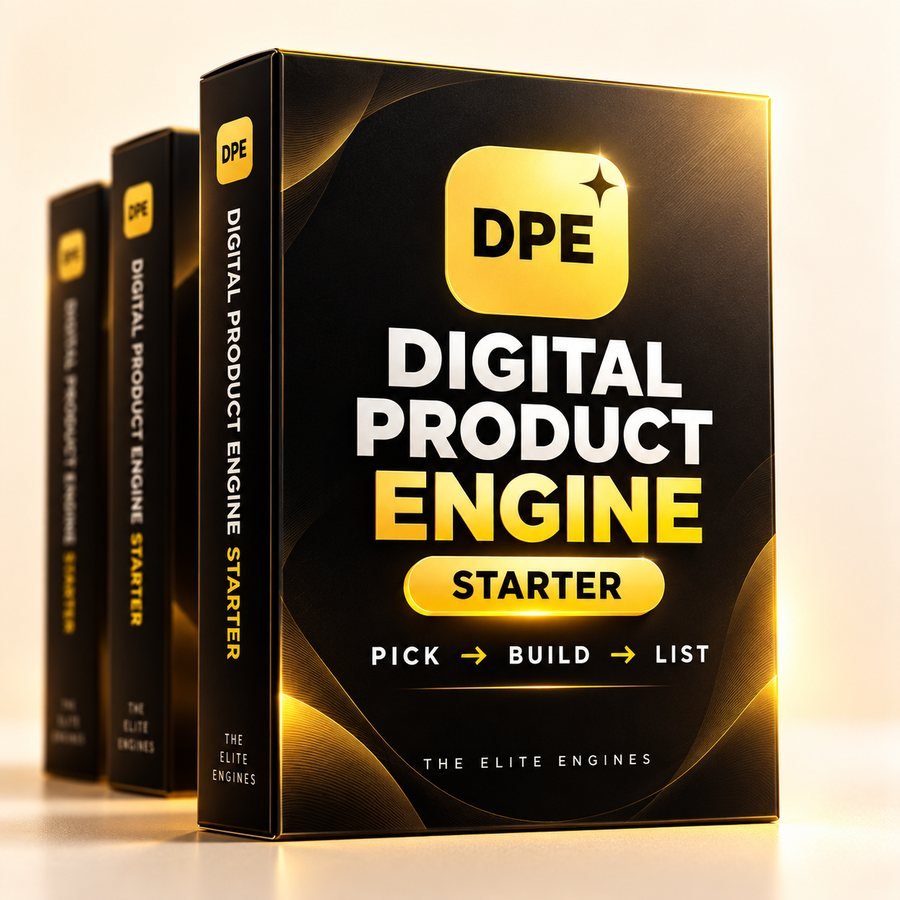
For entrepreneurs interested in developing digital products, Digital Product Engine is another option to investigate. It is designed to assist with spreadsheet-based digital product creation and supporting sales materials, such as listing graphics, short videos, titles, tags, and descriptions.
If creating downloadable workbooks and selling them online is part of your business plan, you can check out Digital Product Engine here to see whether its features match your needs.
Remember to review the available features, pricing, and terms before purchasing. It is a specialized product creation option, not a replacement for every AI business workflow.
How to Build Your First AI Workflow in 5 Steps
You don’t need to automate your entire business immediately.
Follow these five steps:
Step 1: Identify a repetitive task.
Choose something you do regularly, such as writing emails or preparing social media content.
Step 2: Define the required information.
Give AI the context it needs, including your business type, audience, and expected output.
Step 3: Create a reusable prompt.
Write clear instructions and test them with realistic examples.
Step 4: Introduce human review.
Check the accuracy, tone, and suitability of AI-generated work before using it.
Step 5: Measure the results.
Track time saved, output quality, errors, and software expenses.
Expand the workflow only when it produces consistent improvements.
Common AI Workflow Mistakes Small Businesses Should Avoid
Avoid these common mistakes when introducing AI into your operations:
- Automating unclear processes: Establish a proper procedure before automating it.
- Trusting every AI response: Verify important information and claims.
- Sharing sensitive data: Protect customer and business information.
- Using too many tools: Start with a small, manageable technology stack.
- Removing human oversight: Keep people involved in important decisions.
- Ignoring performance: Measure actual results rather than assuming automation is beneficial.
Frequently Asked Questions
What Are the Best AI Workflows for Small Businesses?
Marketing content creation, email drafting, customer inquiry management, administrative task organization, lead follow-ups, and business research are useful starting points.
Can Small Businesses Use AI Without Technical Knowledge?
Yes. Many basic workflows can be built with conversational AI tools, reusable prompts, and spreadsheets.
What Is the Difference Between an AI Prompt and an AI Workflow?
A prompt is an instruction given to AI. A workflow is a repeatable process that combines instructions, information, applications, and review steps to complete a task.
Can AI Automate Small Business Customer Service?
AI can help categorize inquiries and draft responses. Complicated complaints, refunds, and sensitive issues should have a human escalation process.
Are AI Business Automation Tools Expensive?
Not necessarily. You can start with free or basic tools. Paid automation platforms become useful when the time saved justifies their costs.
Which Business Tasks Should Not Be Fully Automated?
Important financial decisions, legal commitments, sensitive customer matters, and complicated complaints require appropriate human involvement.
Final Thoughts: Start With One AI Workflow
AI doesn’t need to transform every part of your business to be valuable.
Start by identifying one repetitive task that takes up too much of your time. Build a simple workflow, test it, and measure the results before introducing additional automation.
Whether you’re improving marketing, organizing customer communication, or developing digital products, the objective should remain the same: use technology to make your business processes more efficient without sacrificing quality or human judgment.
Start small, improve consistently, and build workflows that support the way your business actually operates.

