
AI is making 3D design more accessible to people who have never worked with traditional modeling software. You can now describe an object, upload a reference image, and use an AI-powered platform to generate a three-dimensional model.
But there is an important distinction: a 3D model that looks good on a screen is not necessarily ready for a 3D printer.
If your goal is to create printable designs, download STL files, or develop digital products to sell online, choosing the right software matters.
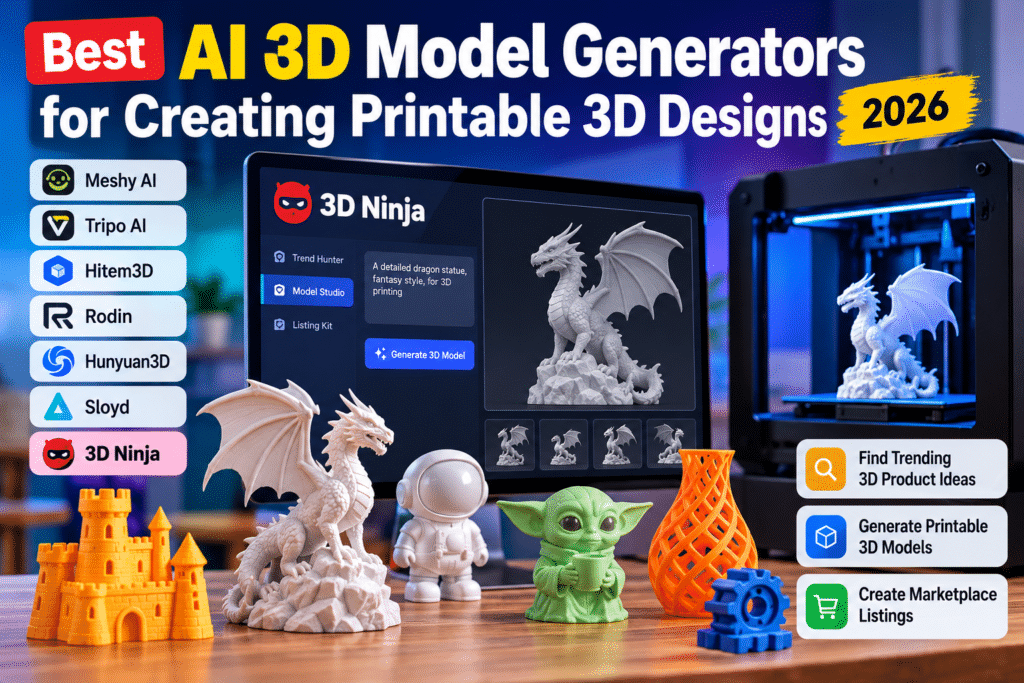
In this guide, we’ll examine some of the leading AI 3D model generators, explore their practical capabilities, and take a closer look at 3D Ninja, a platform that combines AI-assisted 3D design creation with product research and marketplace listing tools.
We’ll also examine its advertised features, pricing, advantages, limitations, and who should consider buying it.
What Is an AI 3D Model Generator?
An AI 3D model generator is software that uses artificial intelligence to create three-dimensional objects from text descriptions, reference images, or other inputs.
For example, you might enter a prompt such as:
Create a decorative miniature dragon sitting on a rock, with detailed wings and a solid base.
The AI processes your description and generates a three-dimensional representation of the object.
Two common generation methods are:
- Text-to-3D: Describe an object using written instructions and generate a 3D model.
- Image-to-3D: Upload a photograph, illustration, or reference image and use it to generate a three-dimensional object.
However, generating a model is only one part of the process. Before printing, you may need to check its geometry, wall thickness, dimensions, and mesh integrity.
STL is a widely used format for 3D printing, while 3MF can preserve additional information such as color. Neither format alone guarantees that a model will print successfully. Meshy Docs+2
7 Best AI 3D Model Generators for Printable Designs
Here are seven tools worth considering, depending on whether you prioritize model creation, editing, printing, or digital product development.
1. Meshy AI – Best for Versatile AI 3D Creation
Meshy AI is a versatile platform that creates 3D assets from text prompts and images.
Its capabilities include text-to-3D, image-to-3D, texturing, remeshing, and model exports.
For 3D printing, Meshy documents STL and 3MF export options alongside tools for checking and preparing models.
Key features:
- Text-to-3D and image-to-3D generation.
- Multiple 3D export formats.
- AI texturing and remeshing.
- Printability checking and model preparation.
- Integration with popular 3D workflows.
Best for: Beginners, hobbyists, designers, and creators who want a versatile 3D generation platform.
Limitation: Generated models may still need adjustments, particularly when they contain thin structures or require precise mechanical dimensions.
Official website: Visit Meshy AI. Meshy Docs+1
2. Tripo AI – Best for Image-to-3D Workflows
Tripo AI is another option for turning written descriptions and images into 3D assets.
Its documented export formats include STL, OBJ, FBX, GLB/GLTF, and USDZ. Its platform also advertises automatic model splitting for printing workflows.
Key features:
- Text-to-3D generation.
- Single-image and multi-view image generation.
- Mesh editing and topology controls.
- STL and other 3D file exports.
- Model segmentation.
Best for: Users who want to experiment with image-based 3D creation and model refinement.
Limitation: You should still inspect the exported geometry and test the model in your preferred slicer before printing.
Official website: Visit Tripo AI. Tripo 3D+1
3. Hitem3D – Best to Investigate for Image-Based Generation
Hitem3D focuses on AI-powered 3D creation from visual references.
It is worth considering if your workflow starts with a photograph or concept image rather than a detailed written prompt.
Potential uses:
- Creating 3D concepts from images.
- Developing visual assets.
- Exploring product shapes and designs.
- Building starting points for further 3D editing.
Best for: Creators interested in image-driven 3D workflows.
Limitation: Confirm the current export formats and print-preparation capabilities before purchasing or committing to a subscription.
Official website: Visit Hitem3D.
4. Rodin by Hyper3D – Best for Detailed 3D Asset Creation
Rodin by Hyper3D is designed for generating detailed 3D assets from visual and text-based inputs.
It is relevant to designers who want to explore more sophisticated 3D objects and digital assets.
Potential uses:
- Detailed character concepts.
- Decorative objects.
- Product visualization.
- Digital 3D asset development.
Best for: Creators prioritizing detailed 3D asset generation.
Limitation: Detailed appearance does not automatically mean mechanical accuracy or print-ready geometry.
Official website: Visit Hyper3D.
5. Hunyuan3D – Best Open-Source Alternative
Hunyuan3D is a 3D generation project from Tencent.
Unlike conventional hosted platforms, its open-source availability makes it interesting for technically capable users who want more control over their generation environment.
Key considerations:
- Open-source model availability.
- AI-based 3D generation.
- Opportunities for technical customization.
- Potential integration into custom workflows.
Best for: Developers and technically experienced creators.
Limitation: Installation, hardware requirements, and workflow configuration can make it less convenient for beginners.
Official repository: Explore Hunyuan3D.
6. Sloyd – Best for Structured 3D Asset Creation
Sloyd offers a different approach to 3D asset creation, with an emphasis on structured and customizable models.
It can be useful when you want more control over an object’s shape rather than relying entirely on generative output.
Potential uses:
- Props and objects.
- Customizable 3D assets.
- Game-related models.
- Rapid design exploration.
Best for: Creators interested in structured 3D modeling workflows.
Limitation: Check the current export and printing workflow before selecting it specifically for STL production.
Official website: Visit Sloyd.
7. 3D Ninja – Best for AI 3D Creation and Digital Product Listings
3D Ninja takes a somewhat different approach from many conventional AI 3D generators.
Instead of concentrating exclusively on generating models, its advertised workflow combines product research, AI model creation, and marketplace listing preparation.
That makes it particularly interesting for people exploring digital 3D product creation as a potential business.
We’ll examine its features in more detail below.
Official website:
3D Ninja Review: Features, Pricing, Benefits and Limitations
If you’re looking for an AI tool that can help you move from product research to creating downloadable 3D designs, 3D Ninja takes an interesting approach.
Its main selling point is not simply that it generates 3D objects. The platform is designed around a workflow for people interested in creating and selling digital 3D-printing files.
Let’s examine what it actually offers.
What Is 3D Ninja?
3D Ninja is an AI-assisted software platform developed by Shane Nathan and Dave Espino.
According to its official sales page, it helps users discover potential 3D-printable product niches, generate downloadable 3D design files, and prepare marketplace listings.
The idea is straightforward: rather than learning complex 3D modeling software before creating your first digital product, you can use an integrated workflow to get started.
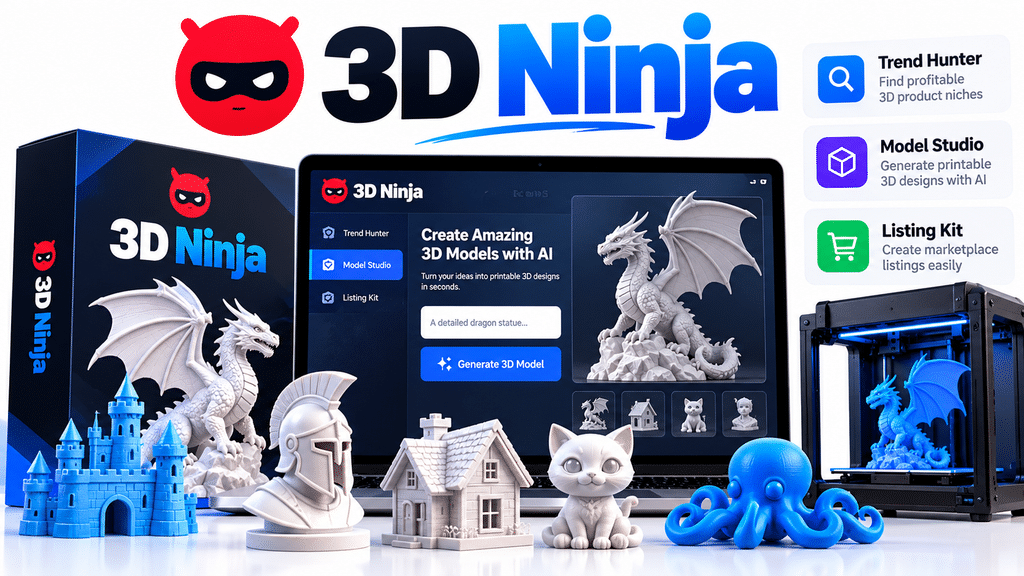
The platform has three main components:
- Trend Hunter
- Model Studio
- Listing Kit
Its primary audience includes beginners, digital product sellers, side-hustle enthusiasts, and people interested in the downloadable 3D-printing market.
1. Trend Hunter – Discover 3D Product Niches
Finding a product idea can be just as challenging as creating the product itself.
Trend Hunter is designed to help with this problem.
According to the vendor, the tool identifies popular 3D-printable product niches and allows users to explore more specific opportunities within those categories.
Examples of product categories highlighted on the sales page include:
- Flexible fidget toys and desk accessories.
- Kitchen cutters and cake decorations.
- Smart home and office accessories.
- Garden and patio decorations.
- Gaming and hobby accessories.
- Cosplay props and wearable designs.
This is potentially useful for beginners who don’t yet know what kinds of digital 3D files to create.
My assessment: The research-first approach is a sensible feature because choosing a product category before spending time generating designs can help organize your work.
However, a niche appearing in a trend tool does not establish that a product will sell. You should independently investigate competition, demand, pricing, and marketplace search results.
2. Model Studio – Generate Downloadable 3D Designs
Model Studio is the central creation component of 3D Ninja.
The vendor describes a workflow in which users enter a plain-English description of the object they want to create. The software then generates a downloadable 3D design file.
The JV page identifies STL downloads, making the feature relevant to people exploring printable digital products.
Potential design ideas include:
- Decorative miniatures.
- Flexible toys.
- Desk accessories.
- Cookie cutters.
- Plant pots.
- Gaming accessories.
The vendor also describes its generated models as adjustable.
For someone without traditional CAD experience, a prompt-based workflow could lower the initial barrier to experimenting with 3D design.
An important consideration: STL export is useful, but it is not proof that every generated model will print correctly. Before selling a file, inspect it in a slicer and check for holes, non-manifold geometry, inadequate wall thickness, and other potential problems.
The NIH 3D guidance explains why these mesh issues matter for successful printing. 3d.nih.gov+1
3. Listing Kit – Prepare Marketplace Product Listings
Creating a digital product is only part of selling it. You also need an effective product listing.
Listing Kit is designed to help with that stage.
According to the vendor, it can prepare:
- Product titles.
- Product descriptions.
- Buyer search tags.
- Suggested prices.
The idea is to reduce the time spent preparing marketplace listings after generating a design.
The vendor specifically highlights Etsy, while its sales page also references marketplaces such as Cults3D, Printables, MyMiniFactory, CGTrader, and Thingiverse.
Keep in mind that Listing Kit generating a title and description does not mean your product automatically complies with every marketplace’s listing, intellectual property, or digital-product requirements.
My assessment: This is a useful concept for someone building a collection of digital 3D products. However, AI-generated listing content should always be reviewed and customized before publication.
3D Ninja Pricing and Plans
The official sales and JV pages advertise the following entry-level package:
3D Ninja Basic
$27
one-time payment
1-year access
- Trend Hunter access.
- Model Studio access.
- Listing Kit access.
- 30 digital files per month.
- 30-day money-back guarantee.Advertised offer; verify the current checkout terms before purchasing.
The JV page also advertises the following optional upgrades:
| Upgrade | Advertised price |
|---|---|
| Niche Pack | $27 |
| Agency Reseller License | $97 |
| Founder Lifetime Deal | $298 |
These are vendor-advertised offer prices, not independently verified current checkout prices. The precise benefits and licensing terms should be checked before buying. 3dninja.app+1
For beginners, the $27 Basic package is the logical starting point if the advertised features meet their needs. I would not recommend purchasing additional upgrades before understanding the basic software.
Do You Need a 3D Printer to Use 3D Ninja?
No, not if your goal is to create and sell downloadable digital design files.
The business model promoted by 3D Ninja involves selling the digital STL file rather than printing and shipping a physical object.
For example:
- Create a decorative dragon design.
- Download its digital STL file.
- Prepare product images and a marketplace listing.
- Upload the digital file to an appropriate marketplace.
- Customers purchase and download the file.
A customer with a compatible 3D printer can then use that file to produce the physical object.
You still need to ensure that your files are usable, accurately described, and compliant with the marketplace’s policies.
Can You Make Money Selling 3D Ninja-Generated Designs?
Potentially, yes. However, buying software does not guarantee sales or income.
The opportunity promoted by 3D Ninja is based on selling downloadable 3D-printing designs through digital marketplaces.
Some potential marketplaces include:
However, consider three important factors:
Competition: Popular product categories can attract many sellers. Your designs need a reason to stand out.
Quality: Buyers expect files that work as described. Poorly prepared models can lead to complaints and refund requests.
Commercial rights: Check the software’s license and the marketplace’s policies before selling generated files. The current promotional material alone does not establish every commercial resale right.
The vendor’s sales page includes examples of independent marketplace shops, but explicitly says these are not 3D Ninja customers and that their results are not typical. Those examples should not be interpreted as evidence of earnings achievable using this software. 3dninja.app+1
Advantages and Disadvantages of 3D Ninja
| Advantages | Limitations |
|---|---|
| Three tools in one workflow | No independent performance testing available for this review |
| Beginner-oriented prompt-based creation | Generated geometry needs inspection |
| Advertised STL downloads | Print success is not guaranteed |
| Product research component | Trend data should be independently validated |
| Listing content generation | AI listings need human editing |
| $27 advertised entry price | Basic access is limited to one year |
| No printer needed to sell digital files | Sales and profits are not guaranteed |
3D Ninja vs Other AI 3D Model Generators
Here is how the platforms differ based on their advertised positioning and documented capabilities.
| Tool | Main strength | Printing workflow |
|---|---|---|
| Meshy AI | Versatile generation | STL/3MF and printability tools |
| Tripo AI | Image-to-3D and editing | STL/3MF export |
| Hitem3D | Image-based generation | Verify current export options |
| Rodin | Detailed 3D assets | Verify print preparation |
| Hunyuan3D | Open-source generation | Additional technical workflow |
| Sloyd | Structured 3D assets | Verify current export options |
| 3D Ninja | Research, generation and listings | Advertised STL downloads |
The important difference is that 3D Ninja emphasizes a digital product publishing workflow, whereas Meshy and Tripo provide broader 3D creation and model-processing capabilities.
If your priority is advanced model creation and print preparation, compare Meshy and Tripo carefully. If you want a combined niche-research, generation, and listing workflow, 3D Ninja is worth investigating. Meshy Docs+3
Who Should Consider 3D Ninja?
3D Ninja may be worth considering if you fall into one of these groups:
- Beginners: People who want to explore 3D digital product creation without starting with complex CAD software.
- Digital product sellers: Entrepreneurs interested in adding downloadable STL products to an existing online business.
- Side-hustle enthusiasts: People exploring a new digital product category.
- Etsy sellers: Existing sellers interested in expanding into printable digital designs.
- Content creators: People who want to research and develop 3D product ideas.
However, it may not be the right choice for professional engineers, mechanical designers, or users who need precise CAD dimensions and advanced modeling controls.
Frequently Asked Questions
1. What is the best AI 3D model generator in 2026?
It depends on your requirements. Meshy and Tripo are worth comparing for AI model generation and printing workflows. 3D Ninja is an interesting option for users who want product research, AI-assisted design creation, and listing preparation together.
2. Can AI generate STL files?
Yes. Some AI 3D generators support STL exports. Meshy and Tripo document STL export capabilities, while 3D Ninja advertises downloadable STL files through its Model Studio.
3. Do I need 3D modeling experience to use 3D Ninja?
The vendor promotes a beginner-friendly workflow based on plain-English prompts. However, understanding basic 3D printing concepts will help you evaluate and improve the generated designs.
4. Do I need a 3D printer to sell STL files?
No. You can sell downloadable STL files without owning a printer. Buyers download the digital design and print it using their own equipment.
5. Is 3D Ninja suitable for beginners?
Its three-component workflow is designed to simplify product research, model creation, and listing preparation. It may be suitable for beginners, although actual ease of use and output quality should be evaluated through the available product demonstration.
6. Can I sell AI-generated 3D models commercially?
Potentially, but it depends on the software’s commercial license, the originality of the design, intellectual property restrictions, and marketplace policies. Always review the applicable terms before listing a product.
7. Are AI-generated 3D models automatically printable?
No. Models may contain holes, non-manifold geometry, thin walls, or other issues. Inspect the mesh and test it in a slicer before printing or selling it.
8. Is 3D Ninja worth buying?
It may be worth considering for beginners interested in the combined workflow of discovering 3D product ideas, generating STL files, and preparing digital marketplace listings. However, buyers should verify the licensing terms, output quality, and one-year access conditions before purchasing.
Final Verdict: Is 3D Ninja Worth It?
AI 3D generation is creating new opportunities for designers, hobbyists, and digital product entrepreneurs. But choosing the right tool requires looking beyond attractive demonstrations and marketing promises.
After reviewing the advertised features, 3D Ninja has an interesting proposition: it combines product research, AI-assisted 3D file creation, and marketplace listing preparation in one platform.
Its three main components address different stages of the digital product workflow:
- Trend Hunter helps users explore product ideas.
- Model Studio generates downloadable 3D designs.
- Listing Kit prepares marketplace listing content.
The advertised $27 entry package, one-year access, and 30 digital files per month make it an accessible starting point for someone exploring this category.
Nevertheless, there are important considerations. We could not independently verify the consistency of its generated models, print success rates, or complete commercial licensing terms. You should also remember that software cannot guarantee marketplace sales.
My recommendation: If you’re a beginner interested in creating and selling digital 3D-printing designs, 3D Ninja is worth investigating. If your priority is advanced 3D modeling, detailed editing, or professional print preparation, compare it with established platforms such as Meshy and Tripo before making a decision.
Ultimately, choose the tool that matches your actual workflow rather than buying based on income promises.