
Creating Excel templates to sell on Etsy sounds like a straightforward side hustle. You build a useful spreadsheet, upload it to your shop, and sell digital copies. The challenge is that a finished product is only one part of the process. You also need listing images, a clear description, relevant keywords, and a spreadsheet that actually works.
Digital Product Engine aims to simplify that workflow by combining spreadsheet generation with Etsy listing materials. But is it worth paying for, especially if you’re new to digital products?
In this Digital Product Engine review, we’ll examine its advertised features, pricing, potential benefits, limitations, and alternatives. This evaluation is based on the vendor’s published information and relevant Etsy documentation, not independent hands-on testing.
What Is Digital Product Engine?
Digital Product Engine (DPE Starter) is a software tool designed to help users create spreadsheet-based digital products and prepare them for online sale. Its official sales page advertises Excel-compatible workbooks alongside listing images, short videos, titles, tags, and product descriptions.
The software is aimed at beginners and creators who want to reduce the time spent building spreadsheet products and preparing listings.
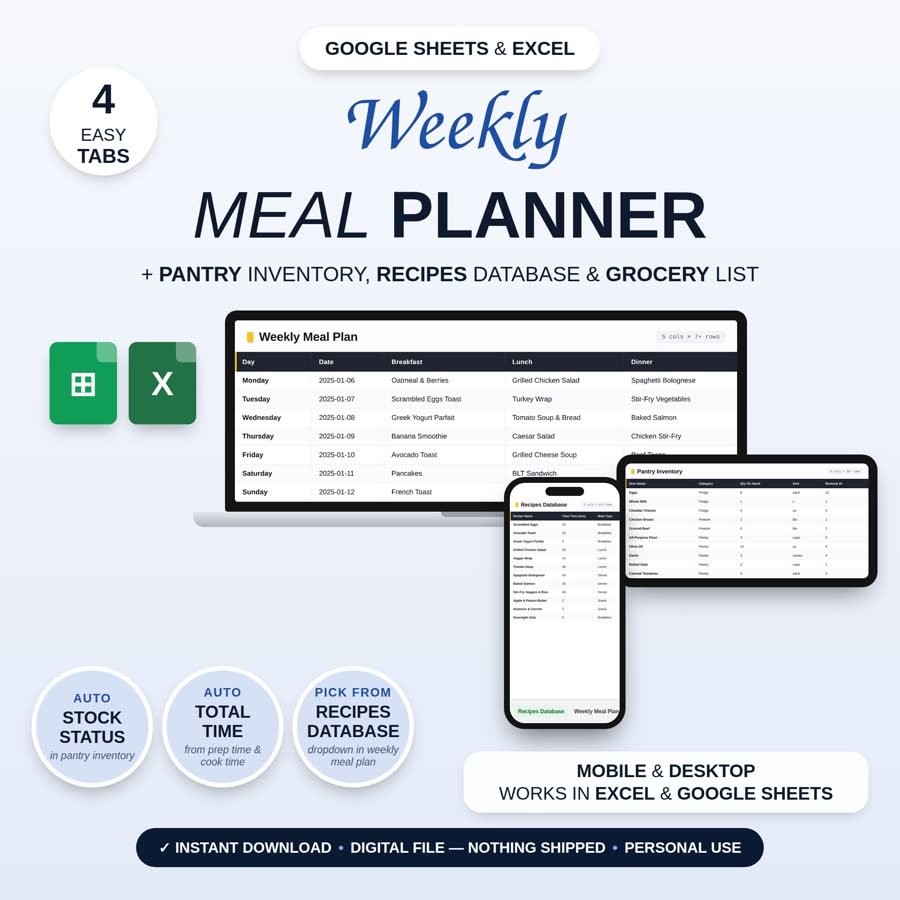
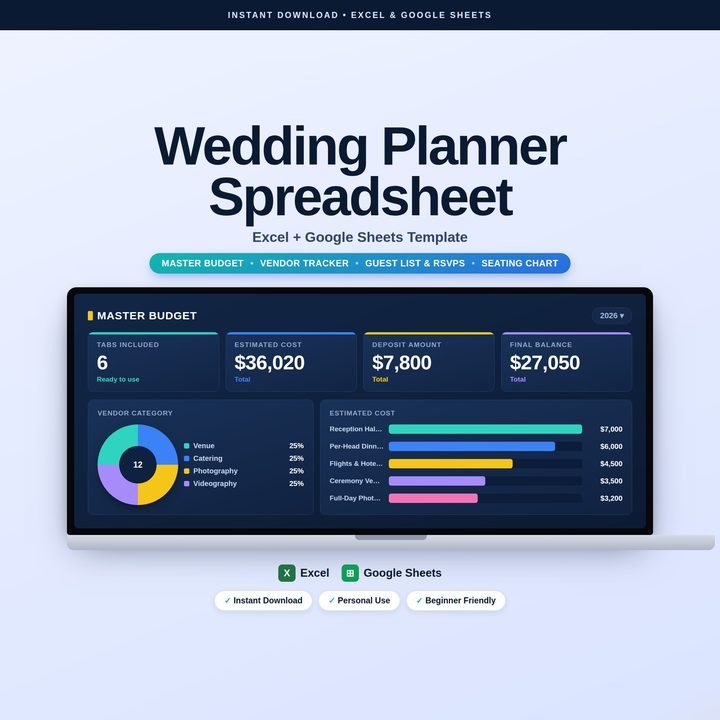
Its advertised spreadsheet categories include personal budgeting, debt payoff tracking, meal planning, fitness tracking, habit journals, wedding planning, relocation planning, and content calendars.
The idea is appealing: instead of assembling every component separately, you can generate a starting product and its supporting listing materials through one workflow.
However, generating a product is not the same as validating demand. You still need to decide which customers to serve, what problem to solve, and how your template will stand apart from competing products.
Digital Product Engine Features: What Do You Get?
According to the official sales page, DPE Starter combines several parts of the digital-product creation process.
1. Spreadsheet generation
The tool advertises .xlsx workbooks containing formulas, multiple tabs, and spreadsheet features tailored to the selected product type. It also provides CSV files and a Notion import file.
For example, a budget planner might contain monthly expenses, savings goals, debt payments, and a summary dashboard.
That structure could save time when creating a first draft. Still, you should test formulas, dropdowns, date handling, and calculations before selling the file. Compatibility should also be checked in the spreadsheet applications you intend to support.
2. Etsy listing images and video
DPE advertises approximately seven to nine listing images and a short listing video for each completed product.
These assets can help communicate what a buyer receives without requiring you to design every image from scratch. Nevertheless, review the images carefully. They should show the actual product accurately, remain readable on mobile devices, and avoid implying that the spreadsheet includes features it does not have.
3. Titles, tags, and descriptions
The software also generates listing copy, including a title, 13 Etsy tags, and a product description.
This can provide a useful starting point for sellers unfamiliar with listing optimization. However, generated keywords still need to match genuine buyer searches and accurately describe the product.
Etsy explains that search considers multiple listing elements, including titles, tags, attributes, descriptions, and the first photo. Its ranking system also considers listing quality and customer-service factors. Ready-made SEO copy alone cannot guarantee visibility or sales. (Etsy’s official search guide)
The package also advertises educational guides, a product-ideas planner, saved product builds, and an additional Elite Store.
How to Create Excel Templates to Sell on Etsy With Digital Product Engine
A practical workflow could look like this:
Step 1: Choose a specific customer problem.
Rather than creating another generic budget spreadsheet, consider a monthly budget tracker for college students, a debt payoff planner for households, or an expense tracker for independent freelancers.
A clearly defined audience gives you a more useful starting point than choosing a product category simply because it is popular.
Step 2: Describe the spreadsheet you want.
Specify the intended user, required tabs, calculations, and visual style. For a freelance expense tracker, you might request income records, expense categories, monthly summaries, and a dashboard.
The more clearly you define the intended functionality, the easier it will be to evaluate the generated result.
Step 3: Generate and inspect the product.
Review the workbook rather than assuming every formula and feature is correct. Test it with sample data, check whether totals update properly, and make sure instructions are understandable to someone who has never seen it before.
Step 4: Prepare the listing.
Review the generated images, title, tags, and description. Correct inaccurate statements, research relevant search phrases, and explain exactly which files and features buyers will receive.
Step 5: Publish only after checking compliance.
Etsy’s digital listing guidance explains how to upload files for instant downloads and made-to-order digital products. Confirm that your files meet the applicable upload requirements and that your product complies with Etsy’s rules.
This process illustrates where the tool may help: it can bring several production tasks together, but the final quality and suitability of the product remain your responsibility.
Digital Product Engine Pricing: Is It Good Value?
The official sales page currently advertises DPE Starter for $12.95 as a one-time payment, with a 30-day money-back guarantee.
The advertised package includes 650 credits. According to the vendor, one completed listing uses 65 credits, giving you approximately 10 listings before you need additional credits. The page also advertises paid credit packs, starting at $19 for 1,000 credits.
These details matter because the initial price is not necessarily the full cost of producing a large catalogue. If you intend to build dozens of products, calculate the additional credits you may need and check the current checkout terms.
At the entry price, the tool may be worth considering if its generated workbooks and listing assets meaningfully reduce your workload. If you only need one basic spreadsheet, building it yourself may be more economical.
Check the official Digital Product Engine offer for current pricing, credit limits, refund conditions, and any applicable restrictions before purchasing.
Pros and Cons of Digital Product Engine
Potential advantages
- Combines spreadsheet creation and listing preparation in one workflow.
- Advertises multiple spreadsheet categories for different audiences.
- Generates supporting images, video, titles, tags, and descriptions.
- Includes guides and a product-ideas planner.
- Offers a relatively low advertised entry price.
Potential drawbacks
- Generated workbooks still require quality assurance and customization.
- Generic products may struggle to differentiate themselves.
- The initial credit allowance limits how many products you can generate.
- Listing copy may need substantial keyword and editorial revisions.
- There is no guarantee of Etsy traffic, conversions, or revenue.
These points reflect the advertised feature set and practical considerations, not results from independent product testing.
Is Digital Product Engine Worth It for Etsy Sellers?
DPE Starter may suit beginners who want a guided way to produce spreadsheet products and prepare their listings without assembling every component manually.
It could also be useful to existing sellers who want to explore additional spreadsheet categories. However, creators with established Excel skills or a highly customized workflow may prefer building their own templates and choosing separate tools for design and listing research.
For a DIY alternative, you could create workbooks in Excel or Google Sheets, prepare graphics in a design application, and write your listing manually using Etsy’s seller guidance. This approach offers more direct control but requires you to manage the separate steps yourself.
Before purchasing DPE, consider the work you want to eliminate, the number of products you realistically plan to create, and how much customization your chosen niche requires.
My assessment is that DPE Starter is a potentially convenient production tool, not a complete Etsy business solution. Its value depends on the quality of its output and how effectively you use it to create products buyers actually need.
Important Limitations Before You Buy
Etsy requires digital products to be made or designed by the seller. Its Creativity Standards permit certain seller-prompted AI creations, but sellers must disclose AI use in the listing description when applicable. Using a generator does not remove your responsibility to follow those rules.
Review Etsy’s Creativity Standards before listing AI-assisted work.
You should also consider originality, spreadsheet accuracy, customer instructions, licensing, and competition. A polished listing cannot compensate for a confusing or unreliable product.
Finally, treat income claims cautiously. Digital Product Engine’s own sales page states that earnings are not guaranteed and that the sellers featured in its examples are not DPE users. Those stories do not establish what a typical purchaser can expect to earn.
Frequently Asked Questions
Can you sell AI-generated Excel templates on Etsy?
Potentially, yes, provided the finished product meets Etsy’s applicable policies, reflects your original design, and includes required AI disclosure where applicable.
Do you need Excel skills to use Digital Product Engine?
The vendor markets the tool toward beginners. Even so, basic spreadsheet knowledge is helpful when checking formulas, compatibility, and usability before selling a workbook.
Does Digital Product Engine guarantee Etsy sales?
No. Product quality, customer demand, competition, pricing, listing relevance, and customer experience all influence commercial outcomes.
Are there alternatives to Digital Product Engine?
Yes. You can build spreadsheets using Excel or Google Sheets, create listing graphics separately, and research keywords manually. This offers flexibility but requires more hands-on work.
Final Verdict
Digital Product Engine is worth investigating if you want a more integrated way to create spreadsheet products and prepare Etsy listings. Its advertised features could reduce repetitive work, but the output needs checking, and the credit allowance deserves attention.
For beginners, the best decision is to compare the tool’s convenience with your actual product goals and budget. Buy it for the workflow it may simplify—not for an expectation of effortless income.